


Ad Account Recovery for Financial Products: How to Appeal Bans on Meta, Google, and TikTok?
Ad account banned while running loans, crypto, or forex ads? Step-by-step guide to appeal bans on Meta, Google Ads, and TikTok — plus what to do when appeals fail.

Moderation and Policy
04.16.2026
Get weekly ad updates. No spam

Your ad account just got banned. Campaigns are down. The budget you carefully allocated is sitting idle, and every hour costs you real money. If you’re running financial products — loans, insurance, crypto, forex, fintech — you already know this pain hits harder than in most other verticals. Financial advertising is one of the most heavily scrutinized categories across every major platform, and moderation mistakes here rarely come with a second chance.
This guide covers exactly what you need to do right now: why financial accounts get banned, how to file a proper appeal on Meta, Google Ads, and TikTok, and what your options are when the appeal doesn’t go through.
Why Financial Ad Accounts Get Banned
How to Appeal a Ban on Meta
How to Appeal a Suspension on Google Ads
How to Appeal a Ban on TikTok Ads
When Appeal Won't Help — and What to Do Instead
How Digital Eagle's Agency Ad Accounts Work for Financial Advertisers
Quick Pre-Appeal Checklist
Bottom Line
FAQ: Ad Account Recovery for Financial Products
How to Appeal a Ban on Meta
How to Appeal a Suspension on Google Ads
How to Appeal a Ban on TikTok Ads
When Appeal Won't Help — and What to Do Instead
How Digital Eagle's Agency Ad Accounts Work for Financial Advertisers
Quick Pre-Appeal Checklist
Bottom Line
FAQ: Ad Account Recovery for Financial Products
Why Financial Ad Accounts Get Banned
Financial products sit at the top of every platform’s restricted categories list. The moment your ad mentions money, credit, investment returns, or crypto, automated systems flag it for additional review. The tolerance for ambiguity is much lower here than in e-commerce or SaaS, and the consequences of a policy violation are more severe.
Here are the most common reasons financial accounts get banned:
- Policy violations specific to financial products — running loan, forex, crypto, or insurance ads without meeting platform-specific requirements (certifications, disclaimers, geo restrictions).
- Missing disclaimers — financial ads typically require risk warnings. Forgetting one is enough to get the ad rejected, and repeated rejections can escalate to account-level action.
- Misleading claims — phrases like "guaranteed returns," "risk-free investing," or "double your money" are automatic red flags. Even implying this is enough.
- Landing page mismatch — when the ad promises one thing, and the landing page delivers another (bait-and-switch), platforms treat this as deliberate deception.
- Previous ban history — platforms track violation patterns across accounts. A clean appeal becomes much harder if you’ve been flagged before.
Not all bans are created equal. The type of ban determines the appeal path — and your odds of success:
💡 Tip: Identifying the ban type before doing anything else saves significant time. A Business Manager ban requires a completely different approach than a single disapproved ad.
How to Appeal a Ban on Meta
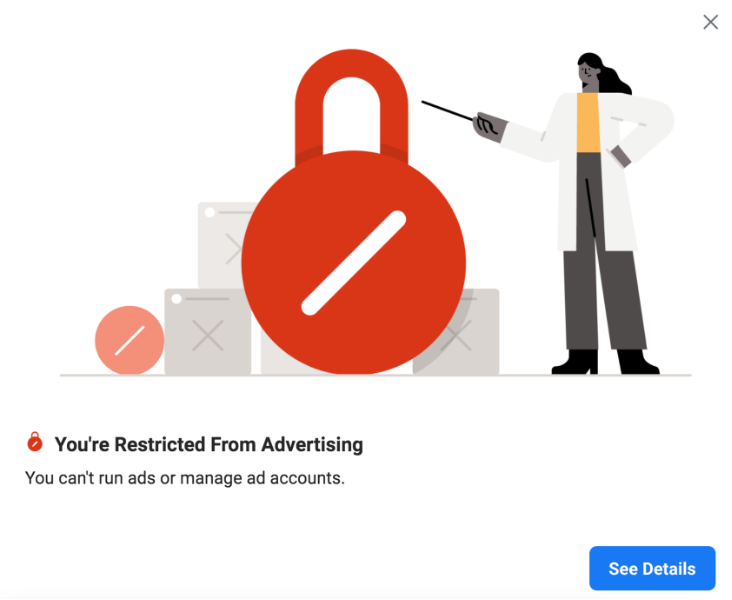
Source: Meta Ads account
Meta is the most structured of the three platforms when it comes to appeals — there are defined paths, timelines, and even a support chat option for some accounts. That said, financial advertisers face stricter scrutiny, and the platform often requires proof of regulatory status before reinstating access.
Step 1 — Identify the exact ban type
Before you do anything, determine exactly what was blocked. Check your Business Manager, Ads Manager, and Account Quality sections. The ban type (ad, account, Business Manager, payment method) determines which form or channel you’ll use.
Step 2 — Read the violation notice carefully
Meta includes a violation code in the notification. Don’t skip it. That code tells you exactly which policy was triggered — and referencing it directly in your appeal signals that you’ve actually read and understood the issue, which matters.
Step 3 — Fix the actual violation before appealing
Submitting an appeal without fixing the underlying issue is a waste of a review attempt. Update the ad creative, landing page, or disclaimer — whatever caused the flag — and document those changes before you write a single word of the appeal message.
Step 4 — Submit the appeal through the right channel
Go to Business Support Home → Account Quality → Request Review. For disapproved ads, the review button is available directly in Ads Manager next to the rejected creative.
Useful links:
Step 5 — Write the appeal message correctly
This is where most people fail. Here’s what actually works and what doesn’t:
What works:
What doesn’t work:
- Be specific about what changed — not "I reviewed our ads" but "We removed the guaranteed returns claim from headline copy and updated the disclaimer to include a full risk warning in 12pt font."
- Reference the violation code from the notification.
- Attach supporting documents: company license, regulatory approval, proof of registration.
What doesn’t work:
- Emotional appeals — "This ban is unfair" gets you nowhere.
- Vague statements like "We didn’t actually violate anything."
- Submitting multiple appeals in rapid succession before receiving a response.
Step 6 — Wait and follow up
Meta typically responds within 1−7 business days. If the appeal is denied, you can try Live Chat in Business Support; however, this option isn’t available to all accounts. For financial advertisers, Meta may request additional documentation (company license, proof of regulatory status) before reinstating access. Have these ready in advance.
How to Appeal a Suspension on Google Ads
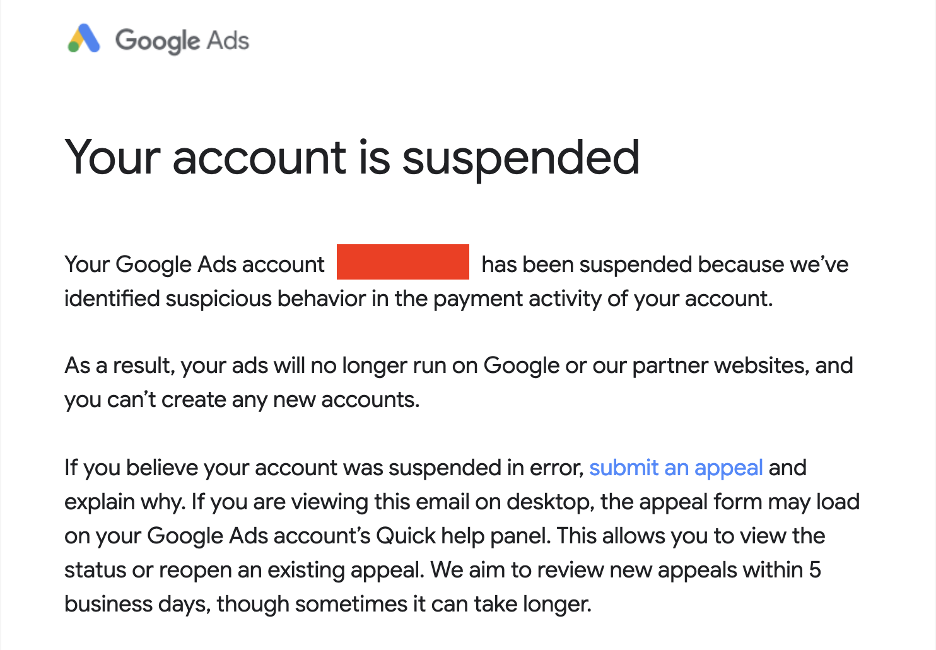
Source: Google Ads account
Google distinguishes between several types of suspensions, and the resolution path is different for each. Getting this wrong — for example, appealing a circumvention suspension the same way you’d appeal a policy violation — will get you nowhere fast.
Know your suspension type
- Policy violation — your ads or account violated Google’s advertising policies.
- Suspicious activity — Google flagged unusual account behavior or payment patterns.
- Unpaid balance — outstanding payment issues. Resolve the billing first, then the account typically restores automatically.
- Circumventing systems — attempting to bypass policies through multiple accounts, cloaking, or similar tactics. Appeals rarely work here.
For policy violations, the only path that works
Fix the violation first. Google re-reviews the entire account when you appeal, not just the specific ad or campaign. If anything else is non-compliant, the appeal will be denied even if you fixed the original issue.
Then file through the official appeal form. In your message, describe the specific changes you made — not just "we fixed the problem," but what exactly changed and why it now complies.
Useful links:
The financial niche requirement you can't skip
In certain countries, Google requires financial advertiser verification before your account can run financial product ads at all. If your account is suspended and you haven’t completed verification, restoring access is not possible until that step is done — appeals won’t override it.
⚠️ If your Google Ads account was suspended for "circumventing systems," an appeal is rarely successful. The realistic option is building a clean, separate infrastructure — new account, new domain, new payment method, no links to the suspended entity.
Timeline: 3−5 business days. Google allows repeat appeals, but limits the number of attempts — so make sure you have everything in order before submitting.
How to Appeal a Ban on TikTok Ads
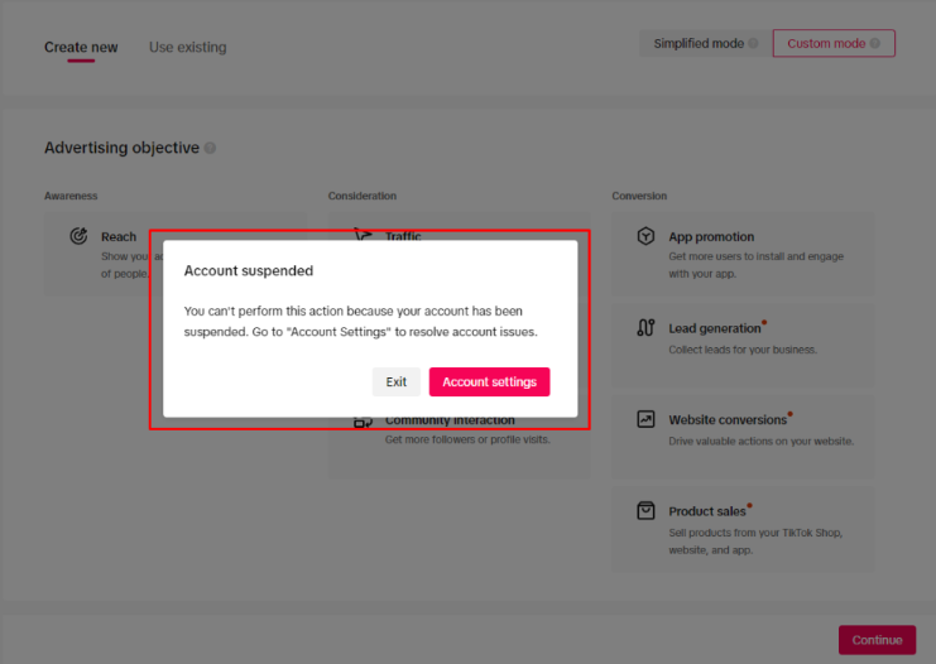
Source: TikTok Ads account
TikTok is the most closed of the three platforms. There’s no dedicated appeal dashboard; the process runs through support tickets, and the platform’s policies on financial products vary significantly by geography.
The basic appeal process
- Go to Ads Manager and locate the rejected ad or disabled account.
- If an "Appeal" button is visible next to the ad, use it. This is the fastest path.
- If there’s no button (common for account-level bans), open a support ticket through the Help Center.
- In your ticket, attach: company license, landing page screenshots, a clear description of your product, and how it complies with TikTok’s financial services policy.
Useful links:
What you're up against in the financial vertical on TikTok
TikTok applies some of the strictest financial product policies of any major ad platform — particularly for crypto, forex, and lending products. In certain geos, these categories are outright prohibited. In those cases, an appeal won’t help regardless of how compliant your documentation is.
Where appeals do succeed, it’s usually when the advertiser has a registered legal entity, a clearly compliant landing page, and complete documentation ready to submit. TikTok support responds faster when the ticket is organized and the documents speak for themselves.
When Appeal Won't Help — and What to Do Instead
Most guides stop at the appeal process. But in the financial vertical, you need to be honest with yourself: some bans are not reversible, and fighting them for weeks costs more than rebuilding properly.
When to stop appealing
- Repeat violations — platforms track your history. A second or third ban on the same account signals deliberate non-compliance to the review team, and appeals become increasingly unlikely to succeed.
- Circumventing systems — attempting to create duplicate accounts to bypass a ban almost always results in permanent termination across all linked entities.
- Payment method bans — these rarely reverse, even with direct platform support.
- Business Manager bans with multiple linked assets all showing violations — at this point, the platform sees the BM itself as the problem, not individual campaigns.
What actually works instead
The answer most advertisers don’t want to hear — but eventually arrive at — is infrastructure. Not a workaround, not a loophole. A clean, compliant setup built to run financial product campaigns at scale without accumulating violations in the first place.
The practical options:
- Agency ad accounts — running through accounts that carry higher platform trust by default. No violation history, no frozen budgets, faster ad approvals.
- Infrastructure separation — different Business Managers, pixels, and domains for different campaigns. One problem in one asset doesn’t cascade.
- Pre-moderation support — having your creatives and landing pages reviewed for policy compliance before submission, so rejections don’t turn into bans.
How Digital Eagle’s Agency Ad Accounts Work for Financial Advertisers
This is where Digital Eagle comes in — not as a last resort, but as the infrastructure decision that makes the rest of this guide less relevant over time.
Digital Eagle provides whitelisted agency ad accounts on Meta, Google, TikTok, and 30+ other platforms. These aren’t resold or grey-market accounts. They’re accounts with established trust signals that run under Digital Eagle’s direct partnership with the platforms, which changes the dynamic of moderation and ban risk significantly.
What's different about running through an agency account
Quick Pre-Appeal Checklist
Before you submit any appeal on any platform, run through this list. Skipping steps is the most common reason appeals fail.
Bottom Line
A ban is not automatically the end. Appeals work — but only when the underlying issue is actually fixed and your documentation is solid. Financial vertical advertisers face a higher bar than most, and the platforms know it.
If the appeal goes through, make the compliance improvements permanent. If it doesn’t, don’t spend months fighting a dead account. The faster path forward is building the right infrastructure from the start — clean accounts, compliant creatives, separated assets, and the documentation that regulators and platforms both want to see.
That’s the difference between spending three weeks in appeal limbo and having campaigns running again within days.
FAQ: Ad Account Recovery for Financial Products
Can I recover a banned Meta ad account if I'm in the financial niche?
Yes, but the bar is higher than in most other verticals. Meta will often ask for proof of regulatory status — a company license or official registration — before reinstating access. If the violation was a first offense and you’ve fixed the underlying issue, appeals do go through. Repeat violations or a Business Manager ban are a different story.
Does Google Ads allow multiple appeals?
Yes, but the number of attempts is limited. More importantly, Google re-reviews the entire account when you appeal — not just the flagged campaign. If anything else is non-compliant, the appeal will fail even if the original issue is fixed.
Can I run crypto or forex ads on TikTok?
It depends on the geography. In certain markets, these categories are outright prohibited, and no amount of documentation will change that. In markets where they’re allowed, TikTok requires a registered legal entity and full compliance documentation before approving financial product campaigns.
What is a whitelisted agency ad account and why does it matter?
An agency ad account is an account that runs under an official platform partner — like Digital Eagle — rather than being created directly by the advertiser. These accounts carry stronger trust signals with the platform, which translates to fewer rejections, no artificial spending caps, and lower ban risk. For financial verticals where scrutiny is especially high, starting from a trusted infrastructure is significantly more reliable than appealing your way back into a standard account.
Is it possible to advertise financial products without getting banned?
Yes — but it requires getting the fundamentals right from the start: proper disclaimers, accurate claims, compliant landing pages, and the right account structure. Pre-moderation (having your creatives reviewed before submission) eliminates most of the common triggers. Digital Eagle does this as part of their agency account service.
What should I do if my appeal is denied?
First, check whether you’re appealing the right ban type through the right channel — a common mistake. If the appeal is genuinely denied and the account is permanently restricted, the practical path forward is a clean agency account with no prior violation history, not continued appeals on a flagged entity.
Your ad account just got banned. Campaigns are down. The budget you carefully allocated is sitting idle, and every hour costs you real money. If you’re running financial products — loans, insurance, crypto, forex, fintech — you already know this pain hits harder than in most other verticals. Financial advertising is one of the most heavily scrutinized categories across every major platform, and moderation mistakes here rarely come with a second chance.
This guide covers exactly what you need to do right now: why financial accounts get banned, how to file a proper appeal on Meta, Google Ads, and TikTok, and what your options are when the appeal doesn’t go through.
Why Financial Ad Accounts Get Banned
How to Appeal a Ban on Meta
How to Appeal a Suspension on Google Ads
How to Appeal a Ban on TikTok Ads
When Appeal Won't Help — and What to Do Instead
How Digital Eagle's Agency Ad Accounts Work for Financial Advertisers
Quick Pre-Appeal Checklist
Bottom Line
FAQ: Ad Account Recovery for Financial Products
How to Appeal a Ban on Meta
How to Appeal a Suspension on Google Ads
How to Appeal a Ban on TikTok Ads
When Appeal Won't Help — and What to Do Instead
How Digital Eagle's Agency Ad Accounts Work for Financial Advertisers
Quick Pre-Appeal Checklist
Bottom Line
FAQ: Ad Account Recovery for Financial Products
Why Financial Ad Accounts Get Banned
Financial products sit at the top of every platform’s restricted categories list. The moment your ad mentions money, credit, investment returns, or crypto, automated systems flag it for additional review. The tolerance for ambiguity is much lower here than in e-commerce or SaaS, and the consequences of a policy violation are more severe.
Here are the most common reasons financial accounts get banned:
- Policy violations specific to financial products — running loan, forex, crypto, or insurance ads without meeting platform-specific requirements (certifications, disclaimers, geo restrictions).
- Missing disclaimers — financial ads typically require risk warnings. Forgetting one is enough to get the ad rejected, and repeated rejections can escalate to account-level action.
- Misleading claims — phrases like "guaranteed returns," "risk-free investing," or "double your money" are automatic red flags. Even implying this is enough.
- Landing page mismatch — when the ad promises one thing, and the landing page delivers another (bait-and-switch), platforms treat this as deliberate deception.
- Previous ban history — platforms track violation patterns across accounts. A clean appeal becomes much harder if you’ve been flagged before.
Not all bans are created equal. The type of ban determines the appeal path — and your odds of success:
💡 Tip: Identifying the ban type before doing anything else saves significant time. A Business Manager ban requires a completely different approach than a single disapproved ad.
How to Appeal a Ban on Meta
Source: Meta Ads account
Meta is the most structured of the three platforms when it comes to appeals — there are defined paths, timelines, and even a support chat option for some accounts. That said, financial advertisers face stricter scrutiny, and the platform often requires proof of regulatory status before reinstating access.
Step 1 — Identify the exact ban type
Before you do anything, determine exactly what was blocked. Check your Business Manager, Ads Manager, and Account Quality sections. The ban type (ad, account, Business Manager, payment method) determines which form or channel you’ll use.
Step 2 — Read the violation notice carefully
Meta includes a violation code in the notification. Don’t skip it. That code tells you exactly which policy was triggered — and referencing it directly in your appeal signals that you’ve actually read and understood the issue, which matters.
Step 3 — Fix the actual violation before appealing
Submitting an appeal without fixing the underlying issue is a waste of a review attempt. Update the ad creative, landing page, or disclaimer — whatever caused the flag — and document those changes before you write a single word of the appeal message.
Step 4 — Submit the appeal through the right channel
Go to Business Support Home → Account Quality → Request Review. For disapproved ads, the review button is available directly in Ads Manager next to the rejected creative.
Useful links:
Step 5 — Write the appeal message correctly
This is where most people fail. Here’s what actually works and what doesn’t:
What works:
What doesn’t work:
- Be specific about what changed — not "I reviewed our ads" but "We removed the guaranteed returns claim from headline copy and updated the disclaimer to include a full risk warning in 12pt font."
- Reference the violation code from the notification.
- Attach supporting documents: company license, regulatory approval, proof of registration.
What doesn’t work:
- Emotional appeals — "This ban is unfair" gets you nowhere.
- Vague statements like "We didn’t actually violate anything."
- Submitting multiple appeals in rapid succession before receiving a response.
Step 6 — Wait and follow up
Meta typically responds within 1−7 business days. If the appeal is denied, you can try Live Chat in Business Support; however, this option isn’t available to all accounts. For financial advertisers, Meta may request additional documentation (company license, proof of regulatory status) before reinstating access. Have these ready in advance.
How to Appeal a Suspension on Google Ads
Source: Google Ads account
Google distinguishes between several types of suspensions, and the resolution path is different for each. Getting this wrong — for example, appealing a circumvention suspension the same way you’d appeal a policy violation — will get you nowhere fast.
Know your suspension type
- Policy violation — your ads or account violated Google’s advertising policies.
- Suspicious activity — Google flagged unusual account behavior or payment patterns.
- Unpaid balance — outstanding payment issues. Resolve the billing first, then the account typically restores automatically.
- Circumventing systems — attempting to bypass policies through multiple accounts, cloaking, or similar tactics. Appeals rarely work here.
For policy violations, the only path that works
Fix the violation first. Google re-reviews the entire account when you appeal, not just the specific ad or campaign. If anything else is non-compliant, the appeal will be denied even if you fixed the original issue.
Then file through the official appeal form. In your message, describe the specific changes you made — not just "we fixed the problem," but what exactly changed and why it now complies.
Useful links:
The financial niche requirement you can't skip
In certain countries, Google requires financial advertiser verification before your account can run financial product ads at all. If your account is suspended and you haven’t completed verification, restoring access is not possible until that step is done — appeals won’t override it.
⚠️ If your Google Ads account was suspended for "circumventing systems," an appeal is rarely successful. The realistic option is building a clean, separate infrastructure — new account, new domain, new payment method, no links to the suspended entity.
Timeline: 3−5 business days. Google allows repeat appeals, but limits the number of attempts — so make sure you have everything in order before submitting.
How to Appeal a Ban on TikTok Ads
Source: TikTok Ads account
TikTok is the most closed of the three platforms. There’s no dedicated appeal dashboard; the process runs through support tickets, and the platform’s policies on financial products vary significantly by geography.
The basic appeal process
- Go to Ads Manager and locate the rejected ad or disabled account.
- If an "Appeal" button is visible next to the ad, use it. This is the fastest path.
- If there’s no button (common for account-level bans), open a support ticket through the Help Center.
- In your ticket, attach: company license, landing page screenshots, a clear description of your product, and how it complies with TikTok’s financial services policy.
Useful links:
What you're up against in the financial vertical on TikTok
TikTok applies some of the strictest financial product policies of any major ad platform — particularly for crypto, forex, and lending products. In certain geos, these categories are outright prohibited. In those cases, an appeal won’t help regardless of how compliant your documentation is.
Where appeals do succeed, it’s usually when the advertiser has a registered legal entity, a clearly compliant landing page, and complete documentation ready to submit. TikTok support responds faster when the ticket is organized and the documents speak for themselves.
When Appeal Won't Help — and What to Do Instead
Most guides stop at the appeal process. But in the financial vertical, you need to be honest with yourself: some bans are not reversible, and fighting them for weeks costs more than rebuilding properly.
When to stop appealing
- Repeat violations — platforms track your history. A second or third ban on the same account signals deliberate non-compliance to the review team, and appeals become increasingly unlikely to succeed.
- Circumventing systems — attempting to create duplicate accounts to bypass a ban almost always results in permanent termination across all linked entities.
- Payment method bans — these rarely reverse, even with direct platform support.
- Business Manager bans with multiple linked assets all showing violations — at this point, the platform sees the BM itself as the problem, not individual campaigns.
What actually works instead
The answer most advertisers don’t want to hear — but eventually arrive at — is infrastructure. Not a workaround, not a loophole. A clean, compliant setup built to run financial product campaigns at scale without accumulating violations in the first place.
The practical options:
- Agency ad accounts — running through accounts that carry higher platform trust by default. No violation history, no frozen budgets, faster ad approvals.
- Infrastructure separation — different Business Managers, pixels, and domains for different campaigns. One problem in one asset doesn’t cascade.
- Pre-moderation support — having your creatives and landing pages reviewed for policy compliance before submission, so rejections don’t turn into bans.
How Digital Eagle’s Agency Ad Accounts Work for Financial Advertisers
This is where Digital Eagle comes in — not as a last resort, but as the infrastructure decision that makes the rest of this guide less relevant over time.
Digital Eagle provides whitelisted agency ad accounts on Meta, Google, TikTok, and 30+ other platforms. These aren’t resold or grey-market accounts. They’re accounts with established trust signals that run under Digital Eagle’s direct partnership with the platforms, which changes the dynamic of moderation and ban risk significantly.
What's different about running through an agency account
Quick Pre-Appeal Checklist
Before you submit any appeal on any platform, run through this list. Skipping steps is the most common reason appeals fail.
Bottom Line
A ban is not automatically the end. Appeals work — but only when the underlying issue is actually fixed and your documentation is solid. Financial vertical advertisers face a higher bar than most, and the platforms know it.
If the appeal goes through, make the compliance improvements permanent. If it doesn’t, don’t spend months fighting a dead account. The faster path forward is building the right infrastructure from the start — clean accounts, compliant creatives, separated assets, and the documentation that regulators and platforms both want to see.
That’s the difference between spending three weeks in appeal limbo and having campaigns running again within days.
FAQ: Ad Account Recovery for Financial Products
Can I recover a banned Meta ad account if I'm in the financial niche?
Yes, but the bar is higher than in most other verticals. Meta will often ask for proof of regulatory status — a company license or official registration — before reinstating access. If the violation was a first offense and you’ve fixed the underlying issue, appeals do go through. Repeat violations or a Business Manager ban are a different story.
Does Google Ads allow multiple appeals?
Yes, but the number of attempts is limited. More importantly, Google re-reviews the entire account when you appeal — not just the flagged campaign. If anything else is non-compliant, the appeal will fail even if the original issue is fixed.
Can I run crypto or forex ads on TikTok?
It depends on the geography. In certain markets, these categories are outright prohibited, and no amount of documentation will change that. In markets where they’re allowed, TikTok requires a registered legal entity and full compliance documentation before approving financial product campaigns.
What is a whitelisted agency ad account and why does it matter?
An agency ad account is an account that runs under an official platform partner — like Digital Eagle — rather than being created directly by the advertiser. These accounts carry stronger trust signals with the platform, which translates to fewer rejections, no artificial spending caps, and lower ban risk. For financial verticals where scrutiny is especially high, starting from a trusted infrastructure is significantly more reliable than appealing your way back into a standard account.
Is it possible to advertise financial products without getting banned?
Yes — but it requires getting the fundamentals right from the start: proper disclaimers, accurate claims, compliant landing pages, and the right account structure. Pre-moderation (having your creatives reviewed before submission) eliminates most of the common triggers. Digital Eagle does this as part of their agency account service.
What should I do if my appeal is denied?
First, check whether you’re appealing the right ban type through the right channel — a common mistake. If the appeal is genuinely denied and the account is permanently restricted, the practical path forward is a clean agency account with no prior violation history, not continued appeals on a flagged entity.
You might also like...