
Why Ecommerce Ad Accounts Get Banned — and How to Recover Fast
Facebook, Shopify, and Amazon ad accounts get suspended for specific, fixable reasons. Here's why ecommerce ad accounts get banned — and how to recover fast.

Moderation and Policy
11.06.2026
Get weekly ad updates. No spam

Meta, Google, and Amazon Ads all run their enforcement systems the same way. They can shut off ad delivery without any prior warning, and the reason can rarely be traced to a single obvious mistake. This guide is a detailed breakdown of why ecommerce ad accounts actually get banned across the major platforms, what early signs point to an account being at risk, how the recovery process works step by step, and how to structure your ad infrastructure so one platform decision doesn’t take the whole revenue channel down ever again.
Why Meta ad accounts get disabled for ecommerce brands
Google Merchant Center and Shopify ad accounts
Why Amazon Ads accounts get suspended
Early signs your ad account is at risk
How fast recovery actually works
Reducing the risk of a repeat suspension
The bottom line
FAQ
Google Merchant Center and Shopify ad accounts
Why Amazon Ads accounts get suspended
Early signs your ad account is at risk
How fast recovery actually works
Reducing the risk of a repeat suspension
The bottom line
FAQ

Why Meta ad accounts get disabled for ecommerce brands
We can put the reasons behind Meta’s decision to disable an ad account into 3 broad categories: a policy violation, a billing or payment problem, and signals of suspicious or fraudulent activity. For ecommerce advertisers specifically, the trigger is usually tied to the storefront, not the ad itself.
The most common causes we see behind the disabling of ecommerce accounts:
The most common causes we see behind the disabling of ecommerce accounts:
- Misleading product claims — before/after imagery, exaggerated results, or "cure," "guarantee," and "miracle" language in ad copy or on the product page.
- Restricted categories run without authorization — supplements, subscription products, financial services, and anything touching health claims all require Meta’s advance approval.
- Landing pages that don’t match the ad — It’s important to note that Meta’s crawlers read the entire destination page, and not just the ad text: broken links, a missing privacy policy, pop-ups that block exit, and pricing that differs from the ad all count as mismatches.
- Payment and billing anomalies — a declined card, a sudden spend spike, or a billing method tied to a previously flagged account.
- Unusual account behavior — rapid campaign creation, multiple ad accounts opened from the same device in a short span, or admin access changes right before a spend increase.
A single flagged ad rarely disables an account outright. It’s usually a cumulative pattern across the Business Manager that tips the scale over and leads to Meta disabling your ad account. That’s also why the damage spreads: a restriction at the Business Manager level can take every connected ad account offline at once, which is what turns a Facebook ad account disabled notice into a full-store outage rather than a single-campaign pause.
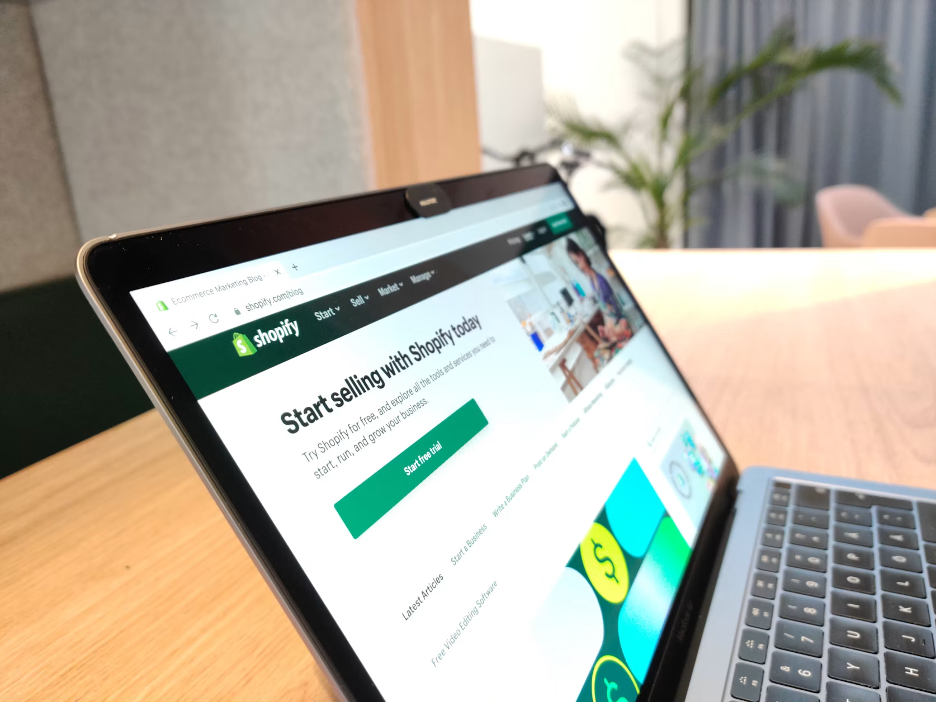
Google Merchant Center and Shopify ad accounts
Shopify merchants running ads through connected Google or Meta integrations hit the same wall from the storefront side, and on Google specifically, the trigger almost always shows up as a Merchant Center misrepresentation suspension rather than a standard ad policy strike. Google’s own policy is explicit: violations are suspended "upon detection and without prior warning", and a suspended merchant loses access to Shopping ads and free listings entirely until the appeal succeeds.
Misrepresentation covers three broad categories of issues:
Because the ad platform crawls the linked domain, a single mismatched price or a missing returns page runs the risk of flagging every campaign pointed at that store — even campaigns that never mentioned the issue in the ad creative. A Shopify Ads account disabled notice is almost always a policy match on the destination URL and product feed, not the ad itself, which is why swapping the creative and resubmitting rarely fixes it. The fix has to happen on the store and the feed first.
Misrepresentation covers three broad categories of issues:
- 1.Omissions — missing or unclear refund, shipping, or privacy policy pages, or incomplete business contact information.
- Inaccuracies — a feed price that doesn’t match the price on the live product page, incorrect stock status, or a product condition claim that doesn’t hold up.
- Deceptive practices — fake countdown timers, inflated "was" prices, or fees that only appear at checkout.
Because the ad platform crawls the linked domain, a single mismatched price or a missing returns page runs the risk of flagging every campaign pointed at that store — even campaigns that never mentioned the issue in the ad creative. A Shopify Ads account disabled notice is almost always a policy match on the destination URL and product feed, not the ad itself, which is why swapping the creative and resubmitting rarely fixes it. The fix has to happen on the store and the feed first.

Why Amazon Ads accounts get suspended
Amazon evaluates advertisers and sellers on the same account health signals — policy compliance, verification status, and performance metrics — reviewed holistically rather than in isolation. An Amazon Ads account suspension notice frequently traces back to one of a handful of root causes:
Once suspended, listings go offline and disbursements can be held while ad campaigns pause at the same time, which compounds the revenue hit for stores that depend on Amazon as a primary channel.
- Identity or business verification gaps — documents that don’t match the business name on file exactly, or an unanswered verification request.
- Product authenticity complaints — even genuine products get flagged when sourcing documentation is weak or inconsistent.
- Performance metric breaches — order defect rate, late shipment rate, or customer response time slipping past Amazon’s thresholds.
- "Related account" flags — Amazon’s systems link accounts that share IP addresses, device fingerprints, or payment details, even when the connection is unintentional.
Once suspended, listings go offline and disbursements can be held while ad campaigns pause at the same time, which compounds the revenue hit for stores that depend on Amazon as a primary channel.
Early signs your ad account is at risk
Most suspensions aren’t instant — the platform usually signals risk before it pulls the trigger. Watch for:
Treating any of these as a priority — not a suggestion — may be the difference between a warning and a full suspension.
- A sudden spend cap or campaign delivery throttle with no policy explanation.
- Account Quality or Account Health scores dropping in the days after a change to your ads or store.
- Repeated verification requests for business documents, tax ID, or identity that go unanswered past the deadline.
- A spike in customer complaints, chargebacks, or A-to-Z claims relative to normal volume.
- Warnings about policy violations on individual ads or listings that haven’t yet escalated to an account-level action.
Treating any of these as a priority — not a suggestion — may be the difference between a warning and a full suspension.
How fast recovery actually works
Recovery speed depends on how precisely the appeal addresses what the platform actually flagged — not on how quickly it’s filed.
On Meta:
On Meta:
- 1.Confirm who’s affected — only account admins can request a manual review, so check Business Manager roles first.
- Go to Account Quality inside Business Support Home, which replaced the old Account Quality page as the review entry point.
- Submit documentation within 180 days of the restriction — after that window, the appeal path closes.
- If reinstated, manually restart every campaign — ads that were running before the account was disabled don’t resume automatically.
On Google Merchant Center:
- Read the suspension notice and cross-check it against the specific misrepresentation category (omission, inaccuracy, or deceptive practice) — Google's system won't tell you exactly what to fix.
- Audit the whole store, not just the flagged product: feed-vs-page price matches, policy pages, business information, and checkout transparency.
- Fix everything before appealing — partial fixes are reviewed as a whole account, not item by item.
- Use the formal appeal/review request rather than the automated "I disagree with the issue" button, which gives no room to explain what changed.
On Amazon:
- Pull the exact suspension reason from Seller Central or Account Health — don’t guess from the general category.
- Build a Plan of Action with three parts: root cause, corrective action already taken, and preventive steps going forward. State the root cause with dates and specifics, not a general acknowledgment of the problem.
- Submit supporting documentation (invoices, shipping records, verification files) that matches the claims in the POA exactly.
- Expect straightforward cases with a well-documented POA to be reviewed within a couple of days; anything involving related-account flags or authenticity complaints tends to run longer.
Across every platform: opening a new account to route around a suspension is the fastest way to lose the original one for good. Enforcement systems link new signups to the flagged account through shared payment details, devices, or IPs, and disable both — including a suspended Merchant Center account, where the suspension follows the merchant into any new account.
Reducing the risk of a repeat suspension
The accounts most exposed to a single ban are the ones running every campaign — and every platform relationship — through one self-serve account tied to one business entity, one payment method, and one Business Manager. That concentration is what turns a single flagged landing page into a full Business Manager wipeout, or a single feed error into a store-wide Shopping ads blackout.
Agencies and high-volume ecommerce brands increasingly separate that risk by running campaigns through whitelisted agency ad accounts instead of a single self-serve account per platform. Digital Eagle provides pre-vetted, agency-level ad accounts across Meta, Google, TikTok, and 30+ other platforms for advertisers in categories platforms scrutinize hardest — a structure built to isolate risk at the account level rather than absorb it at the brand level.
Agencies and high-volume ecommerce brands increasingly separate that risk by running campaigns through whitelisted agency ad accounts instead of a single self-serve account per platform. Digital Eagle provides pre-vetted, agency-level ad accounts across Meta, Google, TikTok, and 30+ other platforms for advertisers in categories platforms scrutinize hardest — a structure built to isolate risk at the account level rather than absorb it at the brand level.
The bottom line
Ecommerce ad account bans are rarely random. They trace back to a policy match somewhere in the campaign, the landing page, the product feed, or the account’s payment and verification history — and the fastest recovery comes from identifying exactly which one, not from guessing. For brands that keep hitting the same wall, the long-term fix isn’t a better appeal; it’s structuring ad accounts so one flagged campaign can’t take the whole revenue channel down with it.
FAQ
How long does it take to recover a disabled ecommerce ad account?
It depends entirely on the platform and the reason. A clean Meta appeal with clear documentation can resolve in days; Amazon POAs for straightforward issues are commonly reviewed within a couple of days, while related-account or authenticity cases run longer. Google Merchant Center misrepresentation appeals typically take longer because the whole store has to be audited and fixed before submission.
Will opening a new account fix the problem faster?
No. Every major platform links new accounts to the flagged one through shared payment methods, devices, or IPs, and disables both. The original account is always the faster path back.
Does fixing the website resolve an ad account suspension?
For Google Merchant Center misrepresentation and most Meta landing-page flags, yes — the fix has to happen on the store and feed before an appeal has any chance. For Amazon, the fix usually has to happen in seller performance metrics or documentation rather than the storefront alone.
Can one flagged ad take down an entire Business Manager?
Yes, if the pattern is severe or repeated. Most disables are cumulative rather than triggered by one isolated ad, but once a Business Manager is restricted, every connected ad account can go offline at the same time.
Meta, Google, and Amazon Ads all run their enforcement systems the same way. They can shut off ad delivery without any prior warning, and the reason can rarely be traced to a single obvious mistake. This guide is a detailed breakdown of why ecommerce ad accounts actually get banned across the major platforms, what early signs point to an account being at risk, how the recovery process works step by step, and how to structure your ad infrastructure so one platform decision doesn’t take the whole revenue channel down ever again.
Why Meta ad accounts get disabled for ecommerce brands
Google Merchant Center and Shopify ad accounts
Why Amazon Ads accounts get suspended
Early signs your ad account is at risk
How fast recovery actually works
Reducing the risk of a repeat suspension
The bottom line
FAQ
Google Merchant Center and Shopify ad accounts
Why Amazon Ads accounts get suspended
Early signs your ad account is at risk
How fast recovery actually works
Reducing the risk of a repeat suspension
The bottom line
FAQ
Why Meta ad accounts get disabled for ecommerce brands
We can put the reasons behind Meta’s decision to disable an ad account into 3 broad categories: a policy violation, a billing or payment problem, and signals of suspicious or fraudulent activity. For ecommerce advertisers specifically, the trigger is usually tied to the storefront, not the ad itself.
The most common causes we see behind the disabling of ecommerce accounts:
The most common causes we see behind the disabling of ecommerce accounts:
- Misleading product claims — before/after imagery, exaggerated results, or "cure," "guarantee," and "miracle" language in ad copy or on the product page.
- Restricted categories run without authorization — supplements, subscription products, financial services, and anything touching health claims all require Meta’s advance approval.
- Landing pages that don’t match the ad — It’s important to note that Meta’s crawlers read the entire destination page, and not just the ad text: broken links, a missing privacy policy, pop-ups that block exit, and pricing that differs from the ad all count as mismatches.
- Payment and billing anomalies — a declined card, a sudden spend spike, or a billing method tied to a previously flagged account.
- Unusual account behavior — rapid campaign creation, multiple ad accounts opened from the same device in a short span, or admin access changes right before a spend increase.
A single flagged ad rarely disables an account outright. It’s usually a cumulative pattern across the Business Manager that tips the scale over and leads to Meta disabling your ad account. That’s also why the damage spreads: a restriction at the Business Manager level can take every connected ad account offline at once, which is what turns a Facebook ad account disabled notice into a full-store outage rather than a single-campaign pause.
Google Merchant Center and Shopify ad accounts
Shopify merchants running ads through connected Google or Meta integrations hit the same wall from the storefront side, and on Google specifically, the trigger almost always shows up as a Merchant Center misrepresentation suspension rather than a standard ad policy strike. Google’s own policy is explicit: violations are suspended "upon detection and without prior warning", and a suspended merchant loses access to Shopping ads and free listings entirely until the appeal succeeds.
Misrepresentation covers three broad categories of issues:
Because the ad platform crawls the linked domain, a single mismatched price or a missing returns page runs the risk of flagging every campaign pointed at that store — even campaigns that never mentioned the issue in the ad creative. A Shopify Ads account disabled notice is almost always a policy match on the destination URL and product feed, not the ad itself, which is why swapping the creative and resubmitting rarely fixes it. The fix has to happen on the store and the feed first.
Misrepresentation covers three broad categories of issues:
- 1.Omissions — missing or unclear refund, shipping, or privacy policy pages, or incomplete business contact information.
- Inaccuracies — a feed price that doesn’t match the price on the live product page, incorrect stock status, or a product condition claim that doesn’t hold up.
- Deceptive practices — fake countdown timers, inflated "was" prices, or fees that only appear at checkout.
Because the ad platform crawls the linked domain, a single mismatched price or a missing returns page runs the risk of flagging every campaign pointed at that store — even campaigns that never mentioned the issue in the ad creative. A Shopify Ads account disabled notice is almost always a policy match on the destination URL and product feed, not the ad itself, which is why swapping the creative and resubmitting rarely fixes it. The fix has to happen on the store and the feed first.
Why Amazon Ads accounts get suspended
Amazon evaluates advertisers and sellers on the same account health signals — policy compliance, verification status, and performance metrics — reviewed holistically rather than in isolation. An Amazon Ads account suspension notice frequently traces back to one of a handful of root causes:
Once suspended, listings go offline and disbursements can be held while ad campaigns pause at the same time, which compounds the revenue hit for stores that depend on Amazon as a primary channel.
- Identity or business verification gaps — documents that don’t match the business name on file exactly, or an unanswered verification request.
- Product authenticity complaints — even genuine products get flagged when sourcing documentation is weak or inconsistent.
- Performance metric breaches — order defect rate, late shipment rate, or customer response time slipping past Amazon’s thresholds.
- "Related account" flags — Amazon’s systems link accounts that share IP addresses, device fingerprints, or payment details, even when the connection is unintentional.
Once suspended, listings go offline and disbursements can be held while ad campaigns pause at the same time, which compounds the revenue hit for stores that depend on Amazon as a primary channel.
Early signs your ad account is at risk
Most suspensions aren’t instant — the platform usually signals risk before it pulls the trigger. Watch for:
Treating any of these as a priority — not a suggestion — may be the difference between a warning and a full suspension.
- A sudden spend cap or campaign delivery throttle with no policy explanation.
- Account Quality or Account Health scores dropping in the days after a change to your ads or store.
- Repeated verification requests for business documents, tax ID, or identity that go unanswered past the deadline.
- A spike in customer complaints, chargebacks, or A-to-Z claims relative to normal volume.
- Warnings about policy violations on individual ads or listings that haven’t yet escalated to an account-level action.
Treating any of these as a priority — not a suggestion — may be the difference between a warning and a full suspension.
How fast recovery actually works
Recovery speed depends on how precisely the appeal addresses what the platform actually flagged — not on how quickly it’s filed.
On Meta:
On Meta:
- 1.Confirm who’s affected — only account admins can request a manual review, so check Business Manager roles first.
- Go to Account Quality inside Business Support Home, which replaced the old Account Quality page as the review entry point.
- Submit documentation within 180 days of the restriction — after that window, the appeal path closes.
- If reinstated, manually restart every campaign — ads that were running before the account was disabled don’t resume automatically.
On Google Merchant Center:
- Read the suspension notice and cross-check it against the specific misrepresentation category (omission, inaccuracy, or deceptive practice) — Google's system won't tell you exactly what to fix.
- Audit the whole store, not just the flagged product: feed-vs-page price matches, policy pages, business information, and checkout transparency.
- Fix everything before appealing — partial fixes are reviewed as a whole account, not item by item.
- Use the formal appeal/review request rather than the automated "I disagree with the issue" button, which gives no room to explain what changed.
On Amazon:
- Pull the exact suspension reason from Seller Central or Account Health — don’t guess from the general category.
- Build a Plan of Action with three parts: root cause, corrective action already taken, and preventive steps going forward. State the root cause with dates and specifics, not a general acknowledgment of the problem.
- Submit supporting documentation (invoices, shipping records, verification files) that matches the claims in the POA exactly.
- Expect straightforward cases with a well-documented POA to be reviewed within a couple of days; anything involving related-account flags or authenticity complaints tends to run longer.
Across every platform: opening a new account to route around a suspension is the fastest way to lose the original one for good. Enforcement systems link new signups to the flagged account through shared payment details, devices, or IPs, and disable both — including a suspended Merchant Center account, where the suspension follows the merchant into any new account.
Reducing the risk of a repeat suspension
The accounts most exposed to a single ban are the ones running every campaign — and every platform relationship — through one self-serve account tied to one business entity, one payment method, and one Business Manager. That concentration is what turns a single flagged landing page into a full Business Manager wipeout, or a single feed error into a store-wide Shopping ads blackout.
Agencies and high-volume ecommerce brands increasingly separate that risk by running campaigns through whitelisted agency ad accounts instead of a single self-serve account per platform. Digital Eagle provides pre-vetted, agency-level ad accounts across Meta, Google, TikTok, and 30+ other platforms for advertisers in categories platforms scrutinize hardest — a structure built to isolate risk at the account level rather than absorb it at the brand level.
Agencies and high-volume ecommerce brands increasingly separate that risk by running campaigns through whitelisted agency ad accounts instead of a single self-serve account per platform. Digital Eagle provides pre-vetted, agency-level ad accounts across Meta, Google, TikTok, and 30+ other platforms for advertisers in categories platforms scrutinize hardest — a structure built to isolate risk at the account level rather than absorb it at the brand level.
The bottom line
Ecommerce ad account bans are rarely random. They trace back to a policy match somewhere in the campaign, the landing page, the product feed, or the account’s payment and verification history — and the fastest recovery comes from identifying exactly which one, not from guessing. For brands that keep hitting the same wall, the long-term fix isn’t a better appeal; it’s structuring ad accounts so one flagged campaign can’t take the whole revenue channel down with it.
FAQ
How long does it take to recover a disabled ecommerce ad account?
It depends entirely on the platform and the reason. A clean Meta appeal with clear documentation can resolve in days; Amazon POAs for straightforward issues are commonly reviewed within a couple of days, while related-account or authenticity cases run longer. Google Merchant Center misrepresentation appeals typically take longer because the whole store has to be audited and fixed before submission.
Will opening a new account fix the problem faster?
No. Every major platform links new accounts to the flagged one through shared payment methods, devices, or IPs, and disables both. The original account is always the faster path back.
Does fixing the website resolve an ad account suspension?
For Google Merchant Center misrepresentation and most Meta landing-page flags, yes — the fix has to happen on the store and feed before an appeal has any chance. For Amazon, the fix usually has to happen in seller performance metrics or documentation rather than the storefront alone.
Can one flagged ad take down an entire Business Manager?
Yes, if the pattern is severe or repeated. Most disables are cumulative rather than triggered by one isolated ad, but once a Business Manager is restricted, every connected ad account can go offline at the same time.
You might also like...